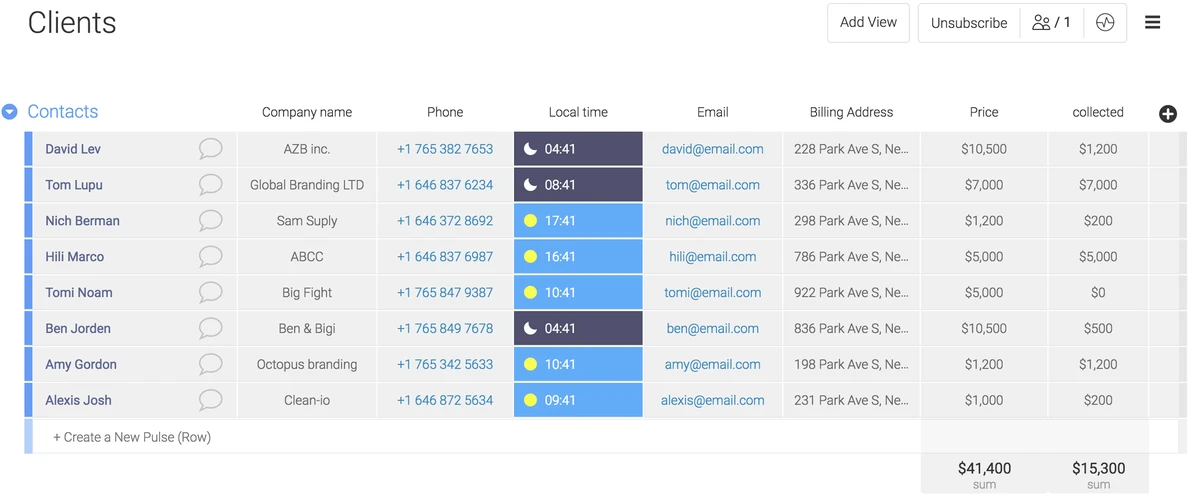
A legal CRM is a strategic system designed to capture client relationships and business development activity, allowing law firms to identify growth opportunities and manage the lead-to-client pipeline. Unlike case management software, which handles active legal work, a legal CRM focuses on the revenue-generating phase: finding, qualifying, and retaining clients. Lawmatics notes that most law firms do not lose business because they lack leads, but because the intake process breaks down under real-world volume.
CRM vs. Case Management: Knowing the Difference
The primary difference is timing: a CRM manages the relationship and revenue workflow before a matter is opened (leads, intake, nurturing), while Case Management Software (CMS) handles the operational tasks of an active matter, such as court dates, document filing, and billing.
Relying on a single system to handle both functions often creates operational friction. A CRM is built for the “pre-matter” phase, focusing on the relationship side of the business, whereas CMS is built for execution. When firms attempt to use a CMS as a CRM, they often find that the system lacks the agility needed for lead scoring or automated nurturing, leading to missed opportunities during the intake phase.
Feature/Focus |
Legal CRM |
Case Management (CMS) |
Generic CRM |
|---|---|---|---|
Design Focus |
Matters and conflict checking |
Active matter execution |
Sales pipelines |
Primary Purpose |
Pre-matter workflows and relationships |
Tasks, billing, and court dates |
Lead tracking and sales |
Legal Specifics |
Intake automation and conflict qualification |
Document filing and time tracking |
General contact management |
This distinction ensures that the business development team can move a lead through a pipeline without cluttering the operational database with non-clients who never signed a retainer.
Intake-Led vs. Relationship-Led Growth
Law firms generally follow two growth models: Intake-Led (high-volume lead generation, common in Personal Injury), where speed and automation are key; and Relationship-Led (long-term networking, common in Corporate law), where mapping ‘who knows whom’ and automated activity capture are the priorities.
The Intake-Led Model: Speed and Qualification
For firms handling high volumes of leads, the goal is to minimize the time between the first contact and the signed retainer. This model requires a system that can automate the qualification process to ensure attorneys only spend time on viable cases. Tools like Lawmatics, Law Ruler, and Lexicata focus on this pipeline, providing the automation and reporting necessary to manage high lead velocity.
Practitioners in this model prioritize:
- Automated lead scoring to identify high-value cases quickly.
- Structured intake workflows that qualify conflicts of interest before a matter is opened, as seen in ConvergeHub.
- Auto-assignment of consultations to available staff to reduce response time.
The Relationship-Led Model: Intelligence and Networking
In corporate or high-net-worth practices, growth depends on relationship intelligence—the ability to map connections across the firm to find the shortest path to a decision-maker. Nexl is designed for this purpose, focusing on who knows whom rather than just tracking a linear sales pipeline.
The priority for relationship-led firms is reducing the friction of data entry. Because partners are often reluctant to manually update a database, these firms utilize tools like Introhive to automatically capture activity from emails and calendars. This ensures the firm has an accurate map of interactions without requiring lawyers to change their daily workflow.
Legal-Specific vs. Generic CRMs
Choosing between a purpose-built legal tool and a general-purpose system like HubSpot often comes down to the cost of configuration. While generic CRMs are powerful, they are built for standard sales teams and do not inherently understand legal concepts such as “conflicts of interest” or “matters.”
Nexl reports that adapting generic tools for legal use requires significant time, budget, and ongoing maintenance that is rarely accounted for in the initial evaluation. A firm may find that a free or cheap generic CRM becomes expensive once the cost of professional consultants to build legal-specific workflows is added.
Warning: Generic CRMs may lack the robust security and confidentiality standards required for handling sensitive legal data. Ringover notes that legal-specific CRMs are better equipped to provide the security necessary for maintaining attorney-client privilege and confidential client information.
Why Legal CRM Implementations Fail
The most frequent cause of CRM failure is the selection of a system that is too complex for the firm’s actual needs. When a tool requires lawyers to fundamentally change how they work or mandates heavy manual data entry, adoption rates plummet.
Introhive highlights that if a legal CRM asks lawyers to manually input every interaction, it will struggle to gain traction. This creates a garbage in, garbage out scenario where the data becomes unreliable as people change roles or move firms, leading executives to lose trust in the system.
Common failure points include:
- Manual Entry Friction: Partners abandoning the tool because it disrupts their billable workflow.
- Poor Data Migration: Importing messy contact lists with duplicates and outdated information.
- Over-Engineering: Attempting to migrate all data and set up elaborate rules overnight rather than using a phased approach.
How to Choose and Evaluate Your Tool
Selecting a CRM requires a shift from looking at feature lists to measuring concrete business outcomes. Rather than asking if a tool has “automation,” firms should run a pilot program to track specific growth metrics.
Lawmatics recommends measuring the following KPIs during a trial to determine a tool’s effectiveness: response time to new leads, the rate at which consultations are scheduled, the “show rate” for those consultations, and the total time-to-retain.
Shortcut: For small firms or those with reluctant partners, use a gradual adoption approach. Start by simply tracking contact information and basic interactions; only add complex automation and reporting features once basic data entry becomes a habit.
FAQ
Can a general CRM like HubSpot work for a law firm?
Yes, but it requires significant time, budget, and ongoing maintenance to adapt generic sales pipelines into legal workflows, as these systems are not natively designed for legal-specific needs.
What is the best way to ensure lawyers actually use the CRM?
Avoid systems that require heavy manual data entry. Instead, prioritize tools with automated activity capture from email and calendars to reduce friction and prevent disruption to the lawyer’s workflow.
How do I measure if a CRM is actually improving my firm’s growth?
Run a pilot and measure concrete KPIs: response time, consultation scheduling rate, consult show rate, and the total time-to-retain to see if the tool is effectively shortening the lead-to-client pipeline.